Wikipedia is a massive network of interconnected pages, with millions of articles linking to each other. Theoretically, you can navigate from any Wikipedia page to any other page by following the links. In Hyperlinked, your goal is to reach the destination page in under 10 clicks.
Game Interface
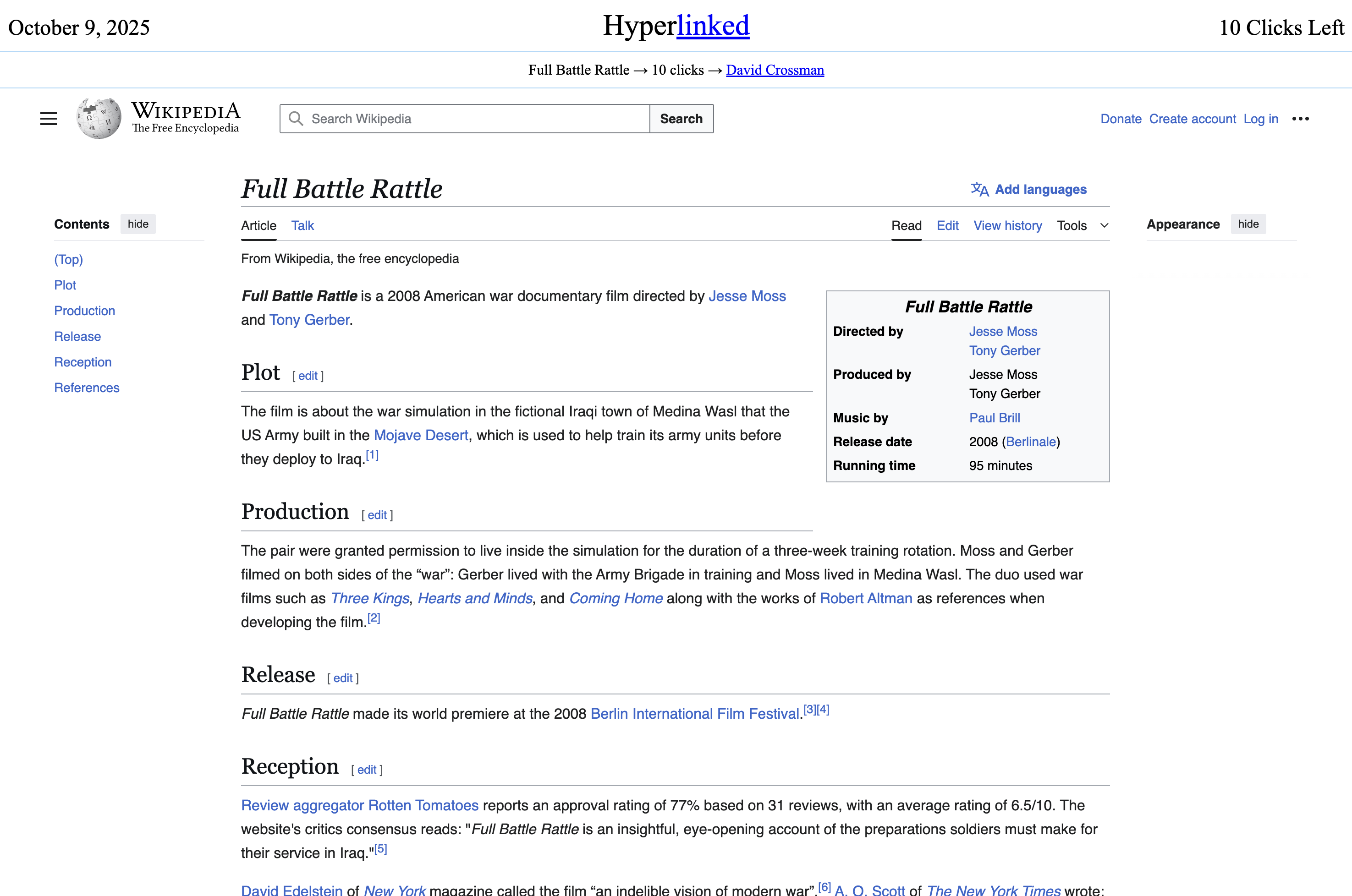
Game Steps
1. Preview the Destination
Click on the destination page link in the navigation bar to preview where you need to go. This helps you understand what topic you're aiming for and plan your route.
2. Read and Plan
Carefully read the starting page and think strategically about how to get from your current page to the destination. Consider what intermediate topics might bridge the gap between the two pages.
3. Click Carefully
You have exactly 10 clicks to reach the destination page. Any link that goes to another Wikipedia page is clickable. Note: There's no back button, so every click counts!
4. Share Your Score
Once you complete your daily challenge, share your score with friends! Then wait until the next day to get a new daily challenge with a fresh pair of pages to connect.
Tips & Tricks
- Use Search: Ctrl/Command + F is your best friend! Use it to search for key terms on the page that might relate to your destination.
- Plan, but Stay Flexible: Think of a solid strategy for how you'll get to the destination, but be prepared to adapt if you find a better path along the way.
- Every Click Matters: Carefully consider each click before you make it. Remember, there's no going back once you've navigated to a new page!